




The PSEB Class 12 Computer Application exam in 2025 was conducted on March 17, 2025, with the question paper and solutions available post-exam. The exam tests understanding of Introductory Microeconomics, including consumer behavior and market forms, as well as Introductory Macroeconomics, covering national income, money and banking, government budget, and open economy macroeconomics.
Students must attempt a combination of multiple-choice, objective, short, and long answer questions in 3 hours. The paper totals 100 marks, comprising 80 marks for the theory component and 20 marks for internal assessment, with no negative marking for incorrect answers.
PSEB Class 12 Computer Application 2025 Question Paper with Solutions PDF
| PSEB Class 12 Computer Application 2025 Question Paper with Solutions PDF | Download PDF | Check Solutions |
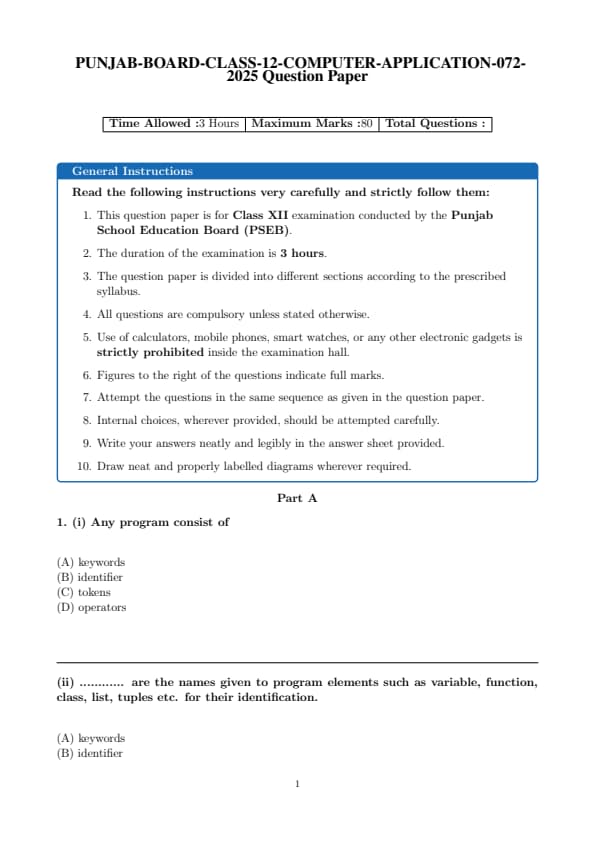
(i) Any program consist of
View Solution
Step 1: Understanding the question.
This question asks about the basic components of any program. Programs consist of various parts that help define their structure and behavior. Tokens are the smallest units in a program, which can include keywords, operators, identifiers, and literals.
Step 2: Analyzing the options.
(A) keywords: This is incorrect. While keywords are important, they are just one part of the tokens in a program.
(B) identifier: This is also incorrect. Identifiers are part of the tokens, but they do not encompass all of the program's components.
(C) tokens: Correct — Tokens are the fundamental building blocks of a program, including keywords, operators, identifiers, etc.
(D) operators: This is incorrect. Operators are part of the tokens but do not make up the whole structure.
Step 3: Conclusion.
The correct answer is (C) tokens, as any program is composed of various tokens, including keywords, operators, identifiers, etc.
Quick Tip: In programming, tokens are the smallest units of code, encompassing keywords, operators, and identifiers. Understanding tokens is essential for understanding how code is parsed and executed.
(ii) ............ are the names given to program elements such as variable, function, class, list, tuples etc. for their identification.
View Solution
Step 1: Understanding the question.
This question asks about the names used to identify different elements in a program, such as variables, functions, classes, lists, and tuples. These names are called identifiers.
Step 2: Analyzing the options.
(A) keywords: This is incorrect. Keywords are reserved words with special meanings in programming languages, but they are not used to identify program elements.
(B) identifier: Correct — Identifiers are used to name various elements in a program, such as variables, functions, and classes.
(C) tokens: This is incorrect. Tokens are the smallest units in a program, but they are not the names of program elements.
(D) operators: This is incorrect. Operators are symbols used to perform operations, but they are not the names of program elements.
Step 3: Conclusion.
The correct answer is (B) identifier, as identifiers are used to name program elements like variables, functions, classes, etc.
Quick Tip: Identifiers are fundamental in programming as they help uniquely identify variables, functions, and other elements. Be sure to follow naming conventions for clarity and consistency.
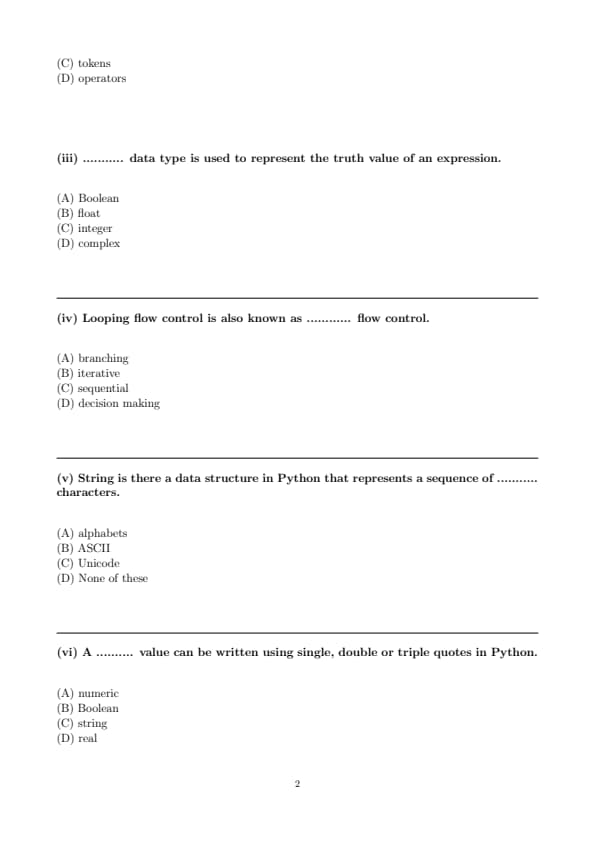
(iii) ........... data type is used to represent the truth value of an expression.
View Solution
Step 1: Understanding the question.
The question is asking about the data type used to represent truth values. In programming, especially in Python, the Boolean data type is used to represent truth values, typically either True or False.
Step 2: Analyzing the options.
(A) Boolean: Correct — Boolean is used to represent truth values like True and False.
(B) float: This is incorrect. A float is used for representing decimal numbers.
(C) integer: This is incorrect. Integers represent whole numbers, not truth values.
(D) complex: This is incorrect. Complex data types are used to represent numbers with both real and imaginary parts.
Step 3: Conclusion.
The correct answer is (A) Boolean, as it is the data type used to represent the truth value of an expression.
Quick Tip: In programming, Boolean values are used in logical expressions and conditions to evaluate true or false.
(iv) Looping flow control is also known as ............ flow control.
View Solution
Step 1: Understanding the question.
This question is about types of flow control in programming. Looping is a type of flow control where instructions are repeated until a certain condition is met. This is known as iterative flow control.
Step 2: Analyzing the options.
(A) branching: This is incorrect. Branching refers to decision-making where the program chooses one path over another.
(B) iterative: Correct — Iterative flow control is used for looping, where a block of code is executed multiple times.
(C) sequential: This is incorrect. Sequential flow control refers to the default flow where instructions are executed one after the other.
(D) decision making: This is incorrect. Decision making is a separate type of flow control that involves branching, not looping.
Step 3: Conclusion.
The correct answer is (B) iterative, as looping is a type of iterative flow control.
Quick Tip: In programming, iteration refers to the repetition of a block of code, typically through loops such as `for` and `while`.
(v) String is there a data structure in Python that represents a sequence of ........... characters.
View Solution
Step 1: Understanding the question.
This question asks about the type of data structure that Python uses to represent a sequence of characters. In Python, strings are used to represent sequences of characters, and they are encoded using Unicode.
Step 2: Analyzing the options.
(A) alphabets: This is incorrect. A string in Python can contain more than just alphabets, such as numbers and symbols.
(B) ASCII: This is incorrect. Although Python supports ASCII encoding, it uses Unicode by default, which encompasses more characters.
(C) Unicode: Correct — Python uses Unicode to represent strings, which allows it to handle a wide range of characters from different languages and symbols.
(D) None of these: This is incorrect. Unicode is the correct answer.
Step 3: Conclusion.
The correct answer is (C) Unicode, as Python uses Unicode to represent sequences of characters in strings.
Quick Tip: Python strings are Unicode by default, allowing them to handle a wide variety of characters beyond just ASCII.
(vi) A .......... value can be written using single, double or triple quotes in Python.
View Solution
Step 1: Understanding the question.
In Python, strings can be written using single, double, or triple quotes. This allows flexibility in how strings are represented.
Step 2: Analyzing the options.
(A) numeric: This is incorrect. Numeric values are written as numbers, not using quotes.
(B) Boolean: This is incorrect. Boolean values `True` and `False` are not written using quotes.
(C) string: Correct — Strings in Python can be enclosed in single quotes (`'`), double quotes (`"`), or triple quotes (`'''` or `"""`).
(D) real: This is incorrect. Real numbers are written as numeric values, not as strings.
Step 3: Conclusion.
The correct answer is (C) string, as strings in Python can be written using various types of quotes.
Quick Tip: In Python, strings can be enclosed in single, double, or triple quotes, giving flexibility to handle special characters and multi-line text.
(vii) .......... means arrange the values in ascending or descending order.
View Solution
Step 1: Understanding the question.
The question asks about the operation that arranges values in ascending or descending order. This operation is known as sorting.
Step 2: Analyzing the options.
(A) Index: This is incorrect. Indexing refers to accessing elements in a sequence, not arranging them.
(B) Slice: This is incorrect. Slicing is used to extract a portion of a sequence, not to sort it.
(C) Sort: Correct — Sorting arranges the values in either ascending or descending order.
(D) Traverse: This is incorrect. Traversing means visiting each element of a sequence, not sorting them.
Step 3: Conclusion.
The correct answer is (C) Sort, as sorting is the operation that arranges values in ascending or descending order.
Quick Tip: Sorting is a common operation in programming that helps arrange data in a desired order, either ascending or descending.
(i) IP :
View Solution
Step 1: Understanding the abbreviation.
IP stands for Internet Protocol, which is the set of rules that governs how data is sent and received over the internet. It defines the addressing system and routing methods used for communication.
Step 2: Conclusion.
The correct answer is Internet Protocol, as it is the standard term for IP.
Quick Tip: IP addresses are essential for identifying devices and enabling communication over the internet.
(ii) POP :
View Solution
Step 1: Understanding the abbreviation.
POP stands for Post Office Protocol, which is used by email clients to retrieve messages from a server. It allows the client to download emails from the mail server and read them offline.
Step 2: Conclusion.
The correct answer is Post Office Protocol, as it is the widely accepted meaning for POP.
Quick Tip: POP is used for retrieving emails, while IMAP is used for more advanced email management.
(iii) DDS :
View Solution
Step 1: Understanding the abbreviation.
DDS stands for Data Distribution Service, which is a middleware protocol used to share real-time data among systems and applications. It supports high-performance and scalable data exchanges.
Step 2: Conclusion.
The correct answer is Data Distribution Service, as it is the standard term for DDS in real-time data systems.
Quick Tip: DDS is widely used in systems that require real-time communication, such as robotics and financial trading.
(iv) SDLC :
View Solution
Step 1: Understanding the abbreviation.
SDLC stands for Software Development Life Cycle, which is a systematic process for planning, creating, testing, and deploying software. It provides a structured approach to software development.
Step 2: Conclusion.
The correct answer is Software Development Life Cycle, as it represents the process of developing software from inception to completion.
Quick Tip: The SDLC helps ensure that software is developed systematically and efficiently, following clearly defined stages.
(v) ........... are small pieces of information the website can store in the user browser.
View Solution
Step 1: Understanding the question.
The question refers to small pieces of data that a website stores on a user's browser to remember user preferences or session information. These are called cookies.
Step 2: Conclusion.
The correct answer is Cookies, as they are the small pieces of information stored in the browser.
Quick Tip: Cookies are commonly used for session management, user preferences, and tracking user behavior on websites.
(vi) .......... argument can be there in left function in MySQL.
View Solution
Step 1: Understanding the question.
In MySQL, the `LEFT()` function is used to extract a substring from a string. The second argument specifies the position or number of characters to extract from the left.
Step 2: Conclusion.
The correct answer is Position, as the `LEFT()` function requires the position (number of characters) as an argument.
Quick Tip: The `LEFT()` function in MySQL is used to extract the leftmost characters from a string.
(vii) COUNT() is an example of ......... type of functions.
View Solution
Step 1: Understanding the question.
The `COUNT()` function in SQL is an aggregate function used to return the number of rows that match a specified criterion. Aggregate functions operate on a set of values and return a single value.
Step 2: Conclusion.
The correct answer is Aggregate, as `COUNT()` is used to calculate the number of entries in a group.
Quick Tip: Aggregate functions in SQL operate on multiple rows to return a single result, like `COUNT()`, `SUM()`, and `AVG()`.
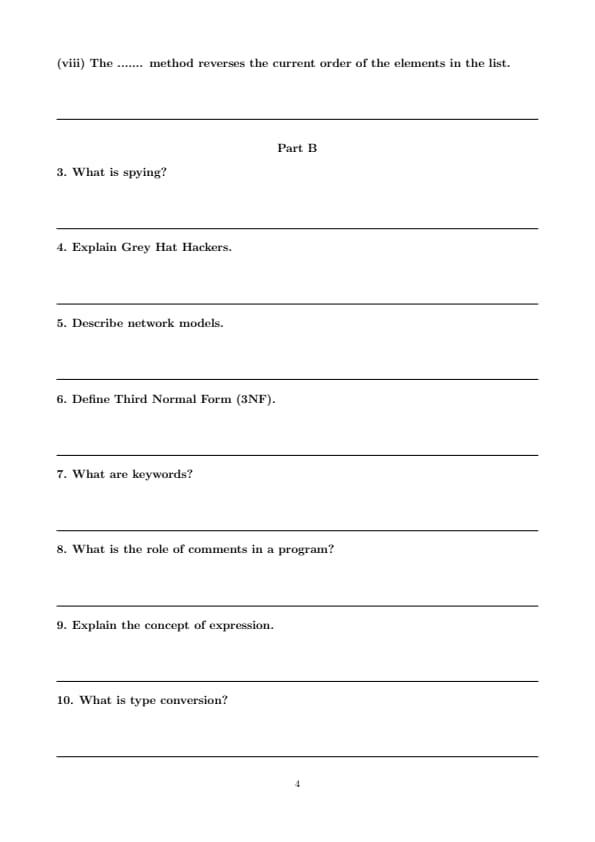
(viii) The ....... method reverses the current order of the elements in the list.
View Solution
Step 1: Understanding the question.
The question asks for the method used to reverse the order of elements in a list in Python. The `reverse()` method is used for this purpose.
Step 2: Conclusion.
The correct answer is Reverse, as the `reverse()` method reverses the elements in a list.
Quick Tip: The `reverse()` method in Python reverses the elements in a list in place. It does not return a new list.
What is spying?
View Solution
Step 1: Understanding Spying.
Spying refers to the act of secretly observing or gathering information about individuals, organizations, or systems without their consent. In the context of cybersecurity, it often involves gathering sensitive or private information through unethical or illegal means.
Step 2: Types of Spying.
Spying can take several forms, such as:
- **Corporate Espionage**: Gathering confidential business information to gain a competitive advantage.
- **Government Spying**: Surveillance of foreign governments or citizens for political or military purposes.
- **Cyber Spying**: Using technology to infiltrate networks, steal information, or monitor activities without detection.
Step 3: Conclusion.
Spying is considered a violation of privacy and ethics, and it is illegal in many jurisdictions depending on the nature and extent of the activity.
Quick Tip: Spying can take place both physically (e.g., using hidden cameras) or digitally (e.g., using malware or hacking techniques).
Explain Grey Hat Hackers.
View Solution
Step 1: Understanding Grey Hat Hackers.
Grey Hat Hackers are individuals who possess technical skills and knowledge similar to that of black hat hackers (those with malicious intent), but they typically act without the intention to cause harm. They often hack into systems or networks to find vulnerabilities, but unlike black hat hackers, they usually do not use the information for malicious purposes.
Step 2: Common Activities of Grey Hat Hackers.
- **Finding Vulnerabilities**: They may find and report security vulnerabilities in systems but sometimes do so without permission.
- **Ethical Intentions**: While they often do not have malicious intentions, their activities can still be considered illegal, especially when performed without authorization.
- **Acting as a "Middle Ground"**: Grey hats are seen as operating in between black hats (who act for personal gain or destruction) and white hats (ethical hackers who seek to improve security).
Step 3: Conclusion.
Although grey hat hackers might help improve security by identifying flaws, their unauthorized actions can still pose risks and lead to legal consequences.
Quick Tip: Grey hat hackers walk a fine line between helping to secure systems and violating privacy and security laws.
Describe network models.
View Solution
Step 1: Understanding Network Models.
A network model is a conceptual framework that standardizes how network communication should occur across various devices and systems. It provides guidelines for data transmission and communication protocols between network components.
Step 2: Types of Network Models.
There are two primary network models used in networking:
- **OSI Model (Open Systems Interconnection)**: This model divides the process of network communication into seven layers, from physical transmission to application. These layers are:
1. **Physical Layer**: Deals with physical transmission of data.
2. **Data Link Layer**: Ensures reliable data transfer between two devices.
3. **Network Layer**: Manages routing of data across different networks.
4. **Transport Layer**: Provides reliable data transfer services between two devices.
5. **Session Layer**: Manages sessions between applications.
6. **Presentation Layer**: Ensures data is in a readable format.
7. **Application Layer**: Interfaces with the user and provides services like email, file transfer, etc.
- **TCP/IP Model**: The TCP/IP model is a more simplified version with only four layers:
1. **Link Layer**: Corresponds to the physical and data link layers of OSI.
2. **Internet Layer**: Corresponds to the network layer of OSI.
3. **Transport Layer**: Corresponds to the transport layer of OSI.
4. **Application Layer**: Corresponds to the session, presentation, and application layers of OSI.
Step 3: Conclusion.
Network models like OSI and TCP/IP help standardize network communication, making it easier for devices and applications to communicate across different platforms and systems.
Quick Tip: The OSI and TCP/IP models are crucial for understanding how data is transmitted in a network and how network protocols operate.
Define Third Normal Form (3NF).
View Solution
Step 1: Understanding Third Normal Form.
Third Normal Form (3NF) is a property of a relational database that ensures that a database is free of transitive dependencies. A relation is in 3NF if it is in Second Normal Form (2NF) and if no non-prime attribute (an attribute that is not part of any candidate key) is transitively dependent on the primary key.
Step 2: Example of 3NF.
To ensure a database is in 3NF, any non-prime attribute must depend only on the primary key and not on other non-prime attributes. For instance, if a table contains attributes such as Student ID, Student Name, and Department, where Student Name depends on Student ID, but Department depends on Student Name, this would violate 3NF. The table would need to be reorganized.
Step 3: Conclusion.
The main goal of 3NF is to eliminate redundancy and ensure that attributes only depend on the primary key.
Quick Tip: To achieve 3NF, first ensure the table is in 2NF, then eliminate transitive dependencies among non-prime attributes.
What are keywords?
View Solution
Step 1: Understanding Keywords.
Keywords are reserved words in a programming language that have a special meaning and cannot be used as identifiers (names for variables, functions, etc.). These words define the syntax and structure of the language. Examples include `if`, `else`, `while`, `int`, `return`, etc.
Step 2: Importance of Keywords.
Keywords play an essential role in the structure and functionality of a program. They help the compiler or interpreter understand the code and perform specific operations, such as conditional logic, looping, and defining data types.
Step 3: Conclusion.
Keywords are predefined by the language and cannot be altered. They are the building blocks of a programming language.
Quick Tip: Do not use keywords as variable names or function names, as they are reserved by the programming language.
What is the role of comments in a program?
View Solution
Step 1: Understanding the Role of Comments.
Comments in a program are non-executable lines of code that provide explanations or annotations for developers. They are ignored by the compiler or interpreter but are used to make the code more understandable for human readers.
Step 2: Types of Comments.
- **Single-line Comments**: These are used to explain a specific line of code and are typically written using `//` or `#`, depending on the language.
- **Multi-line Comments**: These are used for longer explanations and are enclosed by `/*` and `*/` or `'''` and `'''` in some languages.
Step 3: Conclusion.
The primary role of comments is to enhance code readability, making it easier for developers to understand, maintain, and debug the code.
Quick Tip: Always use comments to explain complex logic or to mark TODO tasks in the code. This improves collaboration and makes code easier to maintain.
Explain the concept of expression.
View Solution
Step 1: Understanding Expressions.
In programming, an expression is any valid combination of variables, constants, operators, and functions that evaluates to a value. Expressions are the building blocks of logic and calculations in code. They can be simple, such as arithmetic operations, or complex, involving multiple operations.
Step 2: Examples of Expressions.
- **Arithmetic Expression**: `a + b * c` (evaluates to a value based on arithmetic operations).
- **Relational Expression**: `a > b` (evaluates to a boolean value).
- **Logical Expression**: `x && y` (evaluates to a boolean value based on logical conditions).
Step 3: Conclusion.
Expressions are evaluated and result in values, which are crucial for decision-making and calculations in programs.
Quick Tip: Expressions are evaluated in an order based on operator precedence. Be mindful of parentheses to control evaluation order.
What is type conversion?
View Solution
Step 1: Understanding Type Conversion.
Type conversion is the process of converting one data type to another. In programming, it is often necessary to convert between different types, such as converting an integer to a string, a float to an integer, etc. Type conversion can be performed implicitly (automatically by the language) or explicitly (using a function or operator).
Step 2: Implicit and Explicit Type Conversion.
- **Implicit Conversion**: Also called type coercion, this is done automatically by the compiler when converting data types. For example, in Python, an integer can be added to a float, and the result will be automatically converted to a float.
- **Explicit Conversion**: Also called type casting, this is when the programmer explicitly converts a value to a desired type using functions like `int()`, `float()`, or `str()`. Example: `int('123')` converts the string '123' to an integer.
Step 3: Conclusion.
Type conversion allows the programmer to ensure that data is in the correct format for specific operations or functions.
Quick Tip: In Python, type conversion can be done using functions like `int()`, `float()`, `str()`, etc., depending on the desired type.
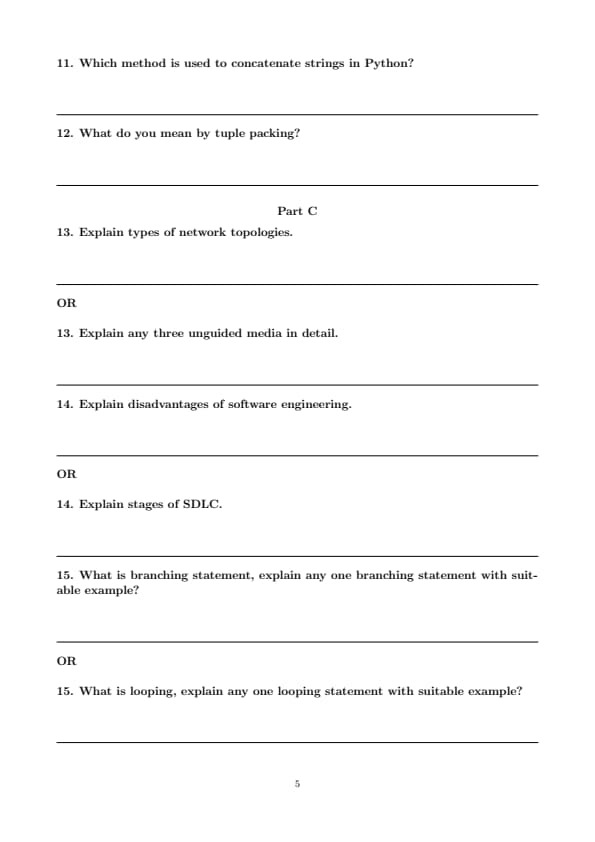
Which method is used to concatenate strings in Python?
View Solution
Step 1: Understanding String Concatenation.
String concatenation in Python refers to the process of joining two or more strings into one string. This can be done using the `+` operator or the `join()` method.
Step 2: Methods of String Concatenation.
- **Using the `+` operator**: This is the simplest method, where strings are concatenated directly using the `+` operator. Example: `"Hello" + " " + "World"`.
- **Using the `join()` method**: This method is more efficient when concatenating a large number of strings. The `join()` method is called on a separator string, and it joins all elements in an iterable. Example: `" ".join(["Hello", "World"])`.
Step 3: Conclusion.
The `+` operator and the `join()` method are the two main ways to concatenate strings in Python, with `join()` being preferred for larger lists of strings.
Quick Tip: For concatenating many strings, the `join()` method is faster and more efficient than using the `+` operator.
What do you mean by tuple packing?
View Solution
Step 1: Understanding Tuple Packing.
Tuple packing refers to the process of grouping multiple values into a single tuple. A tuple in Python is an ordered collection of elements, and it is immutable. Tuple packing happens when you assign values to a tuple without explicitly using parentheses. These values are grouped together by separating them with commas.
Step 2: Example of Tuple Packing.
For example, if you have multiple values, you can pack them into a tuple as follows: \[ t = 1, 2, 3 \]
In this case, the values \(1\), \(2\), and \(3\) are packed into the tuple \(t\). This is functionally equivalent to: \[ t = (1, 2, 3) \]
Notice that parentheses are optional when packing values into a tuple. The comma is the primary separator between the elements.
Step 3: Tuple Packing with Variables.
Tuple packing can also be done with variables. For example: \[ a = 1, \quad b = 2, \quad c = 3
t = a, b, c \quad (Tuple packing) \]
In this case, the values of the variables \(a\), \(b\), and \(c\) are packed into a tuple \(t\).
Step 4: Conclusion.
Tuple packing is a convenient way to create tuples in Python, allowing you to group multiple elements together without explicitly defining parentheses. Once packed, the tuple becomes immutable, meaning its elements cannot be changed.
Quick Tip: In Python, you can pack values into a tuple by separating them with commas. Parentheses are optional unless you are unpacking or require clarity in your code.
Explain types of network topologies.
View Solution
Step 1: Understanding Network Topologies.
A network topology is the arrangement or layout of the elements (links, nodes, etc.) in a computer network. It defines the structure and communication pattern of the network. There are several types of network topologies, each with its advantages and disadvantages.
Step 2: Types of Network Topologies.
1. **Bus Topology**: In a bus topology, all devices are connected to a central cable (the bus). Data sent from one device travels along the bus and can be accessed by all other devices. This topology is simple but can be inefficient for larger networks.
2. **Star Topology**: In a star topology, each device is connected to a central node, such as a hub or switch. This topology is widely used in modern networks as it provides better performance and easier management. If one connection fails, it does not affect the rest of the network.
3. **Ring Topology**: In a ring topology, each device is connected to two other devices, forming a circular network. Data travels in one direction around the ring. This topology can be more efficient for data transmission but is vulnerable to failure if one device goes down.
4. **Mesh Topology**: In a mesh topology, every device is connected to every other device in the network. This provides high redundancy and fault tolerance but is costly and complex to set up and maintain.
5. **Hybrid Topology**: A hybrid topology combines two or more basic topologies, such as star and bus. It is often used to leverage the advantages of different topologies while minimizing their drawbacks.
Step 3: Conclusion.
The choice of topology depends on factors such as network size, cost, reliability, and performance requirements.
Quick Tip: Star topologies are most commonly used in modern networks due to their scalability and easy troubleshooting.
Explain any three unguided media in detail.
View Solution
Step 1: Understanding Unguided Media.
Unguided media, also known as wireless communication, refers to the transmission of data through air or space without the use of physical cables. These signals are broadcasted through electromagnetic waves, such as radio waves, microwaves, and infrared signals. Unguided media is used for wireless communication in networks, including mobile networks, Wi-Fi, satellite communication, and more.
Step 2: Types of Unguided Media.
1. **Radio Waves**: Radio waves are electromagnetic waves with frequencies ranging from 30 Hz to 300 GHz. They are widely used for radio and television broadcasts, as well as in wireless networks like Wi-Fi. Radio waves can travel long distances, making them ideal for broadcasting and mobile communications.
2. **Microwaves**: Microwaves are high-frequency electromagnetic waves (typically between 1 GHz and 100 GHz) used for point-to-point communication systems, such as satellite communication. Microwave signals are typically transmitted via line-of-sight communication, meaning the sender and receiver must be directly visible to each other.
3. **Infrared (IR)**: Infrared waves have shorter wavelengths than microwaves and are typically used for short-range communication, such as remote controls, wireless keyboards, and other device-to-device communications. They operate in the frequency range of 300 GHz to 430 THz and are not effective over long distances or through walls.
Step 3: Conclusion.
Unguided media are essential for modern communication systems, offering flexibility and mobility. While they do not require physical cables, they may face challenges like interference and limited range.
Quick Tip: Radio waves are commonly used for wireless communication, while microwaves and infrared are ideal for more specific applications such as satellite communication and short-range communication, respectively.
Explain disadvantages of software engineering.
View Solution
Step 1: Understanding Software Engineering.
Software engineering is the process of designing, developing, testing, and maintaining software. While it brings significant benefits in terms of creating structured and reliable software, there are also several disadvantages and challenges associated with the practice.
Step 2: Disadvantages of Software Engineering.
1. **High Cost**: Software engineering projects, especially large-scale ones, can be expensive due to the time and resources required for design, testing, and maintenance. The cost of hiring skilled software engineers and using advanced tools can add up.
2. **Complexity**: Software engineering often deals with complex systems that involve various components and layers. Managing these complexities can make development difficult and increase the chances of errors.
3. **Long Development Time**: Developing software using the engineering approach can take a long time, especially when using formal methodologies. This delay can hinder time-to-market for products, which can be a competitive disadvantage.
4. **Maintenance Challenges**: Once software is developed, it requires constant maintenance and updates. Handling this maintenance, especially when the software is large and complex, can be challenging.
5. **Risk of Over-Engineering**: Software engineering processes can sometimes lead to over-engineering, where the system becomes unnecessarily complex, which increases both cost and time.
Step 3: Conclusion.
While software engineering is essential for building robust and scalable software, it also presents challenges related to cost, time, complexity, and maintenance.
Quick Tip: Software engineering involves a balance between creating high-quality software and managing the challenges that come with complexity, cost, and time.
Explain stages of SDLC.
View Solution
Step 1: Understanding SDLC.
The Software Development Life Cycle (SDLC) is a structured approach used for software development. It defines the stages of software development, from initial planning to maintenance, and ensures that the software is developed in a methodical, cost-effective, and high-quality manner.
Step 2: Stages of SDLC.
The SDLC is typically divided into the following stages:
1. **Planning**: In this phase, the project's goals, scope, and requirements are defined. A detailed project plan is created, and resources are allocated. The feasibility of the project is also assessed.
2. **System Design**: Based on the requirements gathered in the planning phase, the system architecture is designed. This phase focuses on creating a blueprint for the system, including databases, interfaces, and application frameworks.
3. **Implementation**: In this phase, actual development begins. The system is built according to the design specifications, and coding is done to create the software components.
4. **Testing**: After the system is developed, it is tested for defects, bugs, and errors. Various testing techniques such as unit testing, integration testing, and system testing are used to ensure the software functions as intended.
5. **Deployment**: Once the software passes testing, it is deployed to the production environment for use. This phase may also include training users and ensuring that the system operates in the real-world environment.
6. **Maintenance**: After deployment, ongoing maintenance is required to fix bugs, provide updates, and ensure the system continues to meet the user's needs. Maintenance ensures the software remains operational and up-to-date.
Step 3: Conclusion.
SDLC provides a structured approach to software development, helping developers create efficient, reliable, and maintainable software. Each phase focuses on a specific aspect of development, ensuring that the final product meets the needs of stakeholders and users.
Quick Tip: The SDLC is essential for guiding software development projects, ensuring quality, and managing risks. Each stage plays a crucial role in delivering a successful software product.
What is branching statement, explain any one branching statement with suitable example?
View Solution
Step 1: Understanding Branching Statements.
A branching statement in programming is used to execute certain parts of code based on a condition. It allows a program to make decisions and choose different paths of execution. The most common branching statements are `if`, `else`, and `else if`.
Step 2: Explanation of `if` statement.
The `if` statement is the simplest form of branching, where a condition is checked, and if it is true, the code inside the `if` block is executed. Otherwise, the program moves on to the next statement.
Example of `if` statement:
Consider the following Python example:
\begin{verbatim
age = 18
if age >= 18:
print("You are eligible to vote.")
\end{verbatim
In this example, if the condition `age >= 18` is true, the program prints "You are eligible to vote". If the condition were false, the code inside the `if` block would be skipped.
Step 3: Conclusion.
Branching statements allow the program to make decisions and execute different parts of code depending on the conditions.
Quick Tip: Use branching statements like `if`, `else`, and `elif` to make decisions based on conditions in your program.
What is looping, explain any one looping statement with suitable example?
View Solution
Step 1: Understanding Looping.
Looping is a programming concept used to repeatedly execute a block of code multiple times based on a given condition. Loops are essential when you need to execute the same action multiple times, such as iterating through a list or running a repetitive task.
Step 2: Explanation of `for` loop.
A `for` loop is used to iterate over a sequence (like a list, tuple, string, or range) and execute a block of code for each element in the sequence. It is commonly used when the number of iterations is known beforehand.
Example of `for` loop:
Consider the following Python example:
\begin{verbatim
for i in range(1, 6):
print(i)
\end{verbatim
In this example, the `for` loop will iterate through the range of numbers from 1 to 5, and for each number, it will print the value of `i`. The `range(1, 6)` generates numbers starting from 1 up to, but not including, 6.
Step 3: Conclusion.
Looping allows you to execute the same code multiple times, and the `for` loop is commonly used when you need to iterate over a sequence of values.
Quick Tip: For iterating over sequences like lists or numbers, use `for` loops. For conditions where the number of iterations is not known, use `while` loops.




Comments