




JK Board Conducted the Class 12 Computer Science Board Exam 2026 on March 14, 2026. Class 12 Computer Science Question Paper with Solution PDF is available here for download.
The JK Board Class 12 Computer Science paper covered key topics from programming, data structures, database management systems, and computer networks. Students should focus on coding practice, understanding programming concepts, and applying database queries. The exam is marked out of 100, with 70 marks for the theory paper and 30 for practical work and internal assessment.2 2026 Computer Science Question Paper with Solution PDF
JK Board Class 12 2026 Computer Science Question Paper with Solution PDF
| JK Board Class 12 Computer Science Question Paper 2026 | Download PDF | Check Solution |

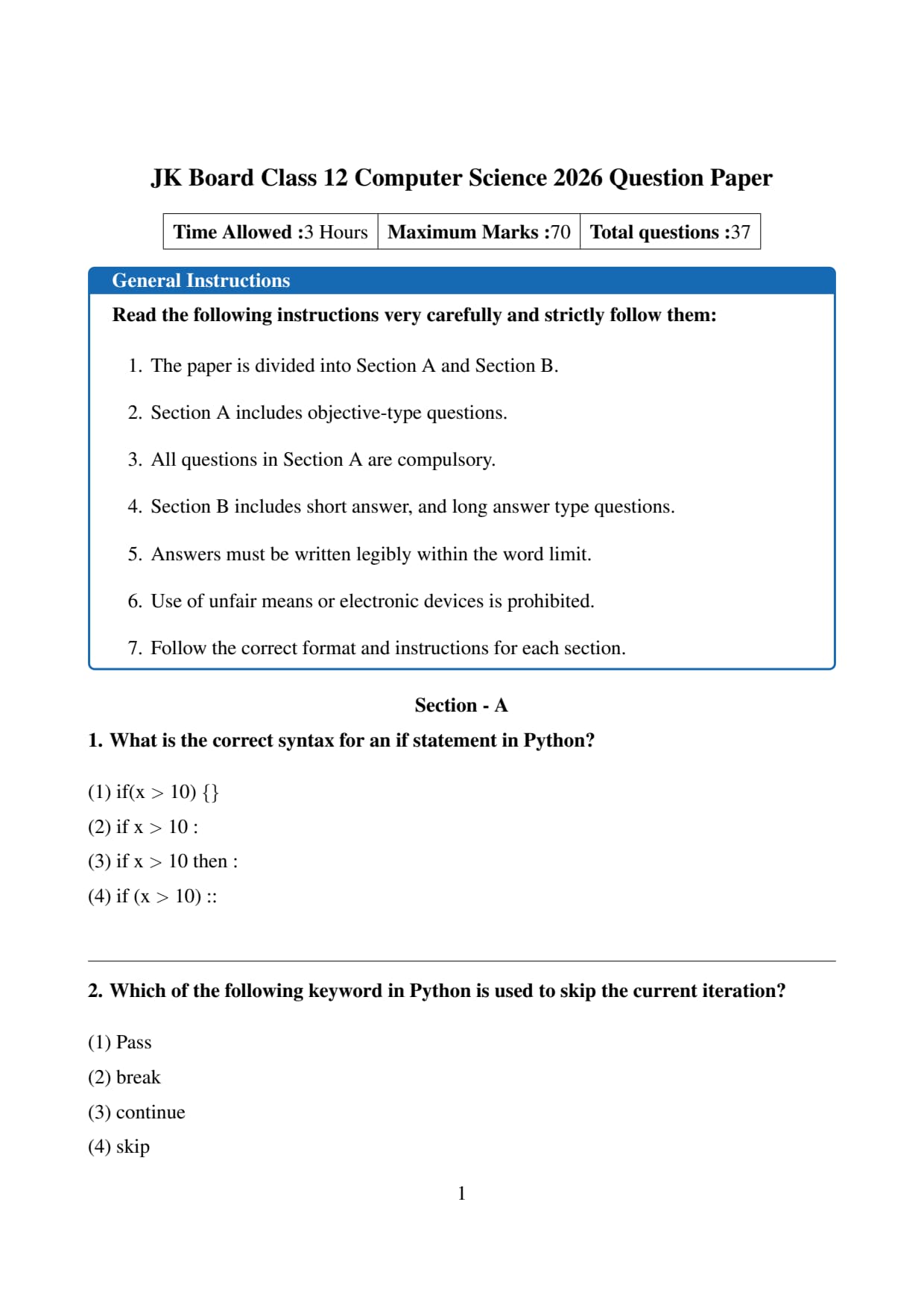
What is the correct syntax for an if statement in Python?
View Solution
Step 1: Understand the structure of an if statement in Python.
In Python, the if statement is used to make decisions based on conditions.
The syntax of an if statement requires a condition followed by a colon \(:\).
After the colon, an indented block of code is written which executes if the condition is true.
The general syntax is
\[ \texttt{if condition:} \]
\[ \texttt{\ \ \ \ statement} \]
Thus Python uses a colon and indentation rather than braces or keywords like "then".
Step 2: Analyze each option carefully.
Option (1): if(x \(>\) 10) \{\
This syntax is similar to programming languages such as C, C++, or Java where curly braces are used. Python does not use braces for block statements, so this option is incorrect.
Option (2): if x \(>\) 10 :
This follows Python's correct syntax: a condition followed by a colon. The block of code would then be written on the next line with indentation. Therefore this option is correct.
Option (3): if x \(>\) 10 then :
Python does not use the keyword "then" in conditional statements. Hence this syntax is incorrect.
Option (4): if (x \(>\) 10) ::
Although parentheses can sometimes be used around conditions, Python does not use double colons. Hence this is also incorrect.
Step 3: Conclusion.
The only option that follows the proper Python syntax rules is
\[ \texttt{if x \(>\) 10 :} \]
Therefore the correct answer is option (2).
Quick Tip: Python uses a colon (:) after conditions and indentation for code blocks instead of curly braces \{\}. Always remember the structure: \texttt{if condition:}
Which of the following keyword in Python is used to skip the current iteration?
View Solution
Step 1: Understand the concept of loop control statements in Python.
In Python, loop control statements are used to change the normal execution flow of loops.
These statements allow the program to either skip iterations, stop loops completely, or do nothing temporarily.
The common loop control statements in Python are:
\[ \texttt{break, continue, pass} \]
Each of these performs a different function in loop execution.
Step 2: Analyze the options given in the question.
Option (1): pass
The \texttt{pass statement does nothing. It is used as a placeholder when a statement is syntactically required but no action is needed. It does not skip loop iterations.
Option (2): break
The \texttt{break statement terminates the loop completely and exits from the loop. It does not skip only the current iteration.
Option (3): continue
The \texttt{continue statement skips the remaining statements of the current loop iteration and moves control directly to the next iteration of the loop. Therefore this option is correct.
Option (4): skip
Python has no keyword named \texttt{skip. Hence this option is incorrect.
Step 3: Conclusion.
The keyword used to skip the current iteration of a loop in Python is
\[ \texttt{continue} \]
Thus the correct answer is option (3).
Quick Tip: Remember the difference: \texttt{break} stops the entire loop, while \texttt{continue} skips only the current iteration and proceeds to the next iteration.
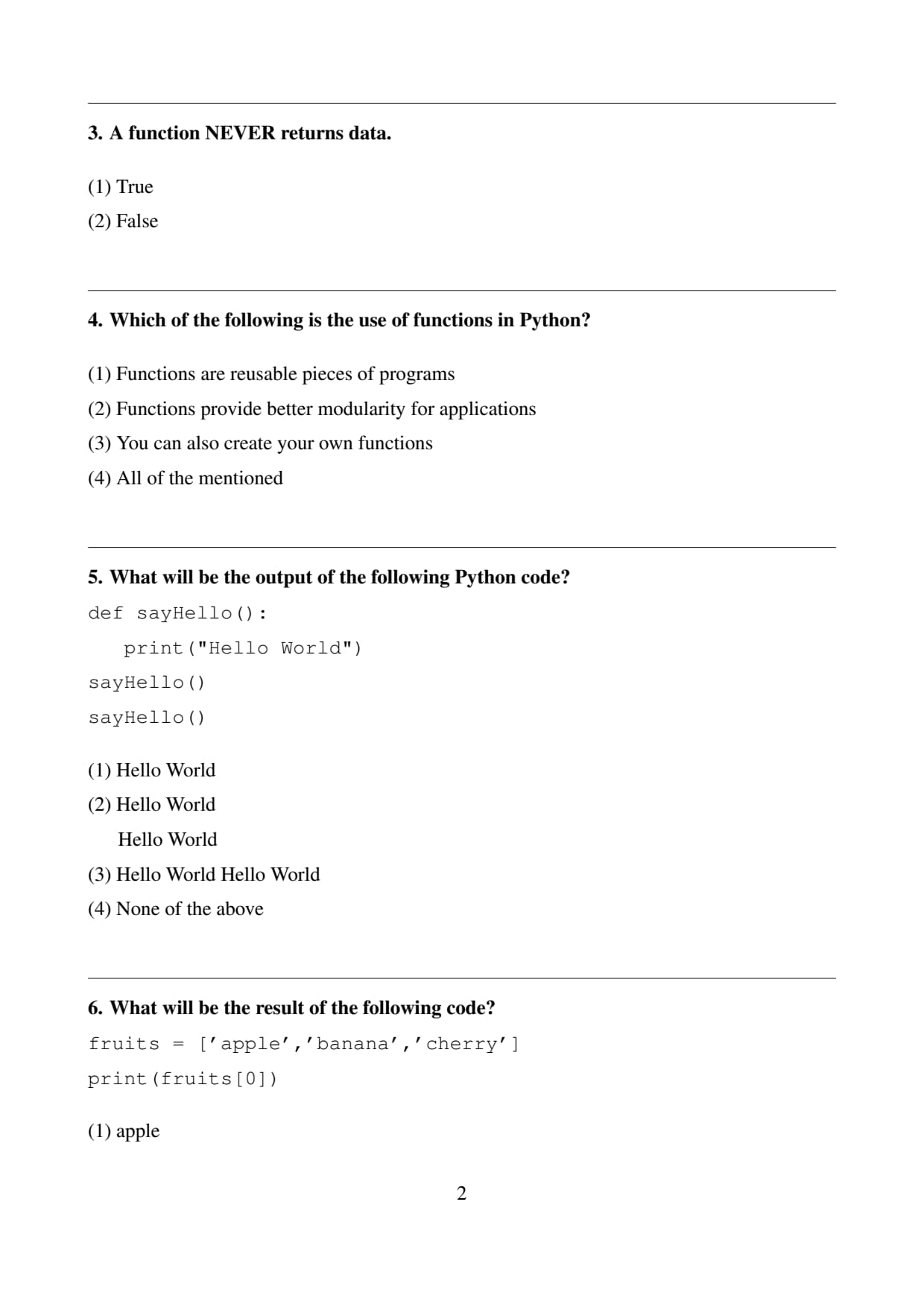
A function NEVER returns data.
View Solution
Step 1: Understand what a function is in programming.
A function in programming is a block of organized and reusable code designed to perform a specific task.
Functions help reduce repetition and improve readability and modularity of programs.
Step 2: Understand the concept of return values.
Many functions return values using the \texttt{return statement.
When the function executes the return statement, the control goes back to the calling program along with a value.
For example
\[ \texttt{def add(a,b):} \]
\[ \texttt{\ \ return a+b} \]
Here the function returns the sum of two numbers.
Step 3: Analyze the given statement.
The statement says that a function NEVER returns data.
This is incorrect because functions frequently return values using the return statement.
Some functions may not return values explicitly, but many functions do return useful results.
Step 4: Conclusion.
Since functions can return data, the given statement is false.
Quick Tip: In Python, the \texttt{return} statement is used to send a result back from a function to the place where it was called.
Which of the following is the use of functions in Python?
View Solution
Step 1: Understand the role of functions in programming.
Functions are one of the most important concepts in programming.
They help in organizing code into smaller manageable parts and allow programmers to reuse code efficiently.
Step 2: Analyze the first statement.
Functions are reusable pieces of programs.
This means that once a function is defined, it can be called multiple times in different parts of a program.
This reduces repetition of code and improves efficiency.
Step 3: Analyze the second statement.
Functions improve modularity.
Modularity means dividing a large program into smaller independent modules.
Each module performs a specific task, making the program easier to understand, maintain, and debug.
Step 4: Analyze the third statement.
Python allows users to create their own functions using the \texttt{def keyword.
These are called user-defined functions and they allow programmers to implement customized logic for their programs.
Step 5: Conclusion.
Since all the given statements describe valid uses of functions in Python, the correct answer is
\[ All of the mentioned \] Quick Tip: Functions make programs modular, reusable, and easier to maintain. Always use functions to avoid repeating the same code multiple times.
What will be the output of the following Python code?
def sayHello():
\ \ \ print("Hello World")
sayHello()
sayHello()
View Solution
Step 1: Understand the function definition.
The code first defines a function named \texttt{sayHello().
Inside this function, there is a print statement that displays the text
\[ \texttt{"Hello World"} \]
The function does not execute immediately when it is defined. It only runs when the function is called.
Step 2: Observe how many times the function is called.
After defining the function, the program calls the function twice:
\[ \texttt{sayHello()} \]
\[ \texttt{sayHello()} \]
Each time the function is called, the print statement inside the function executes once.
Step 3: Determine the output produced by each call.
The first function call prints
\[ Hello\ World \]
The second function call prints the same text again on the next line.
Thus the total output becomes
\[ Hello\ World \]
\[ Hello\ World \]
Step 4: Conclusion.
Since the function is executed twice and each execution prints the same message, the output contains two lines of "Hello World".
Therefore the correct answer is option (2).
Quick Tip: In Python, a function runs only when it is called. If a function containing a print statement is called multiple times, the output will be printed the same number of times.
What will be the result of the following code?
fruits = ['apple','banana','cherry']
print(fruits[0])
View Solution
Step 1: Understand the concept of lists in Python.
In Python, a list is an ordered collection of elements.
Elements in a list are accessed using their index values.
Indexing in Python always starts from \(0\).
For example, if a list contains three elements, the indexes will be
\[ 0,1,2 \]
respectively.
Step 2: Analyze the list given in the program.
The list defined in the code is
\[ ['apple','banana','cherry'] \]
The indexing of the list elements will be
\[ 0 \rightarrow apple \]
\[ 1 \rightarrow banana \]
\[ 2 \rightarrow cherry \]
Step 3: Evaluate the print statement.
The program prints
\[ fruits[0] \]
Since index \(0\) corresponds to the first element of the list, the value returned will be
\[ apple \]
Step 4: Conclusion.
Therefore the output of the program is
\[ apple \] Quick Tip: Python lists start indexing from \(0\). The first element is accessed using index \(0\), the second using \(1\), and so on.
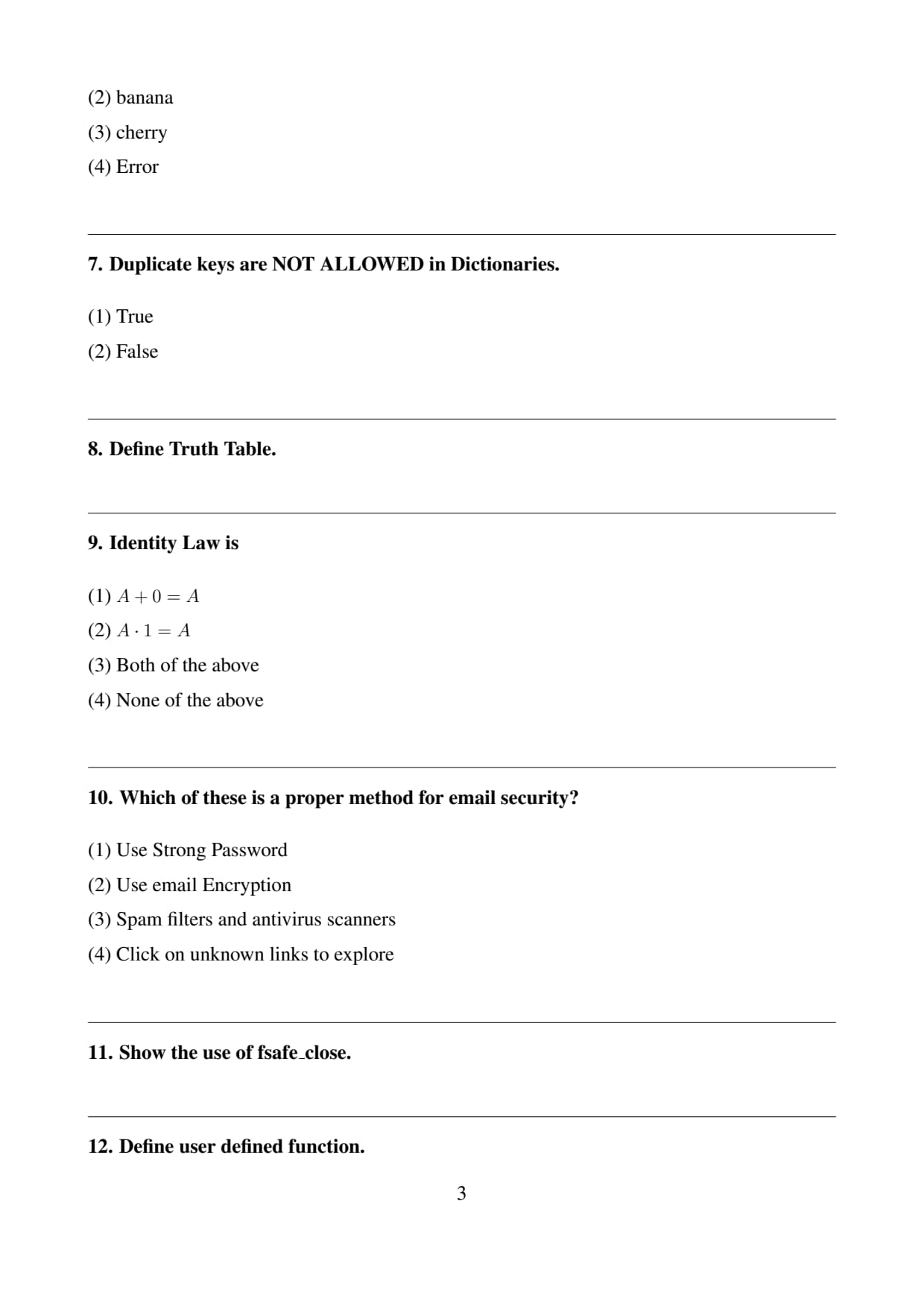
Duplicate keys are NOT ALLOWED in Dictionaries.
View Solution
Step 1: Understand what a dictionary is in Python.
A dictionary in Python is a collection of key–value pairs.
Each key in the dictionary is associated with a specific value.
The general format of a dictionary is
\[ \{key:value\} \]
Example
\[ \{name:"John", age:20\} \]
Step 2: Understand the rule of dictionary keys.
In Python, keys in a dictionary must be unique.
This means that two identical keys cannot exist in the same dictionary.
If duplicate keys are used, Python automatically keeps the last value and overwrites the previous value.
Step 3: Interpret the statement given.
The statement says that duplicate keys are not allowed in dictionaries.
Since dictionary keys must always be unique, this statement is correct.
Step 4: Conclusion.
Therefore the correct answer is True.
Quick Tip: In Python dictionaries, keys must always be unique, but values can be duplicated.
Define Truth Table.
View Solution
Step 1: Understand the concept of logic in computing.
In computer science and digital electronics, logical operations such as AND, OR, and NOT are used to evaluate conditions.
These operations work with binary values such as
\[ True \quad and \quad False \]
or
\[ 1 \quad and \quad 0 \]
Step 2: Define a truth table.
A truth table is a systematic representation of all possible combinations of inputs and their corresponding output values for a logical expression or logical operation.
It helps in understanding how logical operators behave under different input conditions.
Step 3: Example of a truth table.
For example, the truth table for the logical AND operation is
\[ \begin{array}{c|c|c} A & B & A \land B
\hline 0 & 0 & 0
0 & 1 & 0
1 & 0 & 0
1 & 1 & 1 \end{array} \]
This table shows the result of the AND operation for all possible combinations of inputs.
Step 4: Conclusion.
Thus a truth table helps represent logical relationships clearly and is widely used in computer science and digital circuit design.
Quick Tip: Truth tables are commonly used to represent logical operations such as AND, OR, NOT, NAND, NOR, XOR, and XNOR.
Identity Law is
View Solution
Step 1: Understand Boolean algebra laws.
Boolean algebra is used in digital logic and computer science to simplify logical expressions.
There are several laws in Boolean algebra such as identity law, null law, complement law, and distributive law.
Step 2: State the Identity Law.
The Identity Law states that combining a variable with its identity element does not change the value of the variable.
For the OR operation
\[ A + 0 = A \]
For the AND operation
\[ A \cdot 1 = A \]
Step 3: Analyze the given options.
Option (1) represents the OR identity law.
Option (2) represents the AND identity law.
Since both expressions represent valid identity laws, both statements are correct.
Step 4: Conclusion.
Therefore the correct answer is
\[ Both of the above \] Quick Tip: Identity elements in Boolean algebra are \(0\) for OR operations and \(1\) for AND operations.
Which of these is a proper method for email security?
View Solution
Step 1: Understand the concept of email security.
Email security refers to the techniques and practices used to protect email accounts, messages, and communication from unauthorized access, phishing attacks, spam, malware, and other cyber threats.
Security measures help ensure confidentiality, integrity, and safety of information exchanged through emails.
Step 2: Analyze each option.
Option (1): Use strong password.
Using strong and complex passwords helps protect email accounts from hacking attempts and unauthorized access. This is an important email security practice.
Option (2): Use email encryption.
Email encryption protects the content of messages so that only the intended recipient can read them. This also improves security.
Option (3): Spam filters and antivirus scanners.
Spam filters block unwanted or malicious emails, and antivirus scanners detect harmful attachments or links. These tools enhance email security.
Option (4): Click on unknown links to explore.
Clicking unknown or suspicious links can expose users to phishing attacks, malware, and fraud. This is NOT a safe practice and should be avoided.
Step 3: Conclusion.
Among the given options, clicking on unknown links is not a proper security method. Therefore the correct answer is option (4).
Quick Tip: Never click unknown email links or download suspicious attachments. They are commonly used in phishing and malware attacks.
Show the use of fsafe_close.
View Solution
Step 1: Understand file handling in programming.
File handling allows a program to create, read, write, and modify files stored in a computer system.
After performing operations on a file, it is very important to close the file properly so that system resources are released and data is saved correctly.
Step 2: Understand the purpose of fsafe_close.
The function fsafe_close is used to safely close an opened file.
It ensures that the file is closed properly even if an error occurs during file operations.
Step 3: Importance of safe file closing.
Closing files safely prevents data corruption and memory leaks. It also ensures that the file is no longer locked and can be accessed by other programs.
Step 4: Conclusion.
Therefore fsafe_close is used to safely terminate file operations and release resources associated with the file.
Quick Tip: Always close files after completing file operations to avoid data loss and resource leakage.
Define user defined function.
View Solution
Step 1: Understand the concept of functions.
A function is a block of reusable code designed to perform a particular task. Functions help in organizing programs and reducing code repetition.
Step 2: Define user defined function.
A user defined function is a function that is written and defined by the programmer rather than being provided by the programming language.
These functions allow programmers to create custom operations and reusable program components.
Step 3: Example in Python.
\[ \texttt{def add(a,b):} \]
\[ \texttt{\ \ return a+b} \]
Here the programmer defines a function named add which returns the sum of two numbers.
Step 4: Conclusion.
Thus a user defined function is a programmer-created function used to perform specific tasks in a program.
Quick Tip: User defined functions in Python are created using the keyword \texttt{def}.
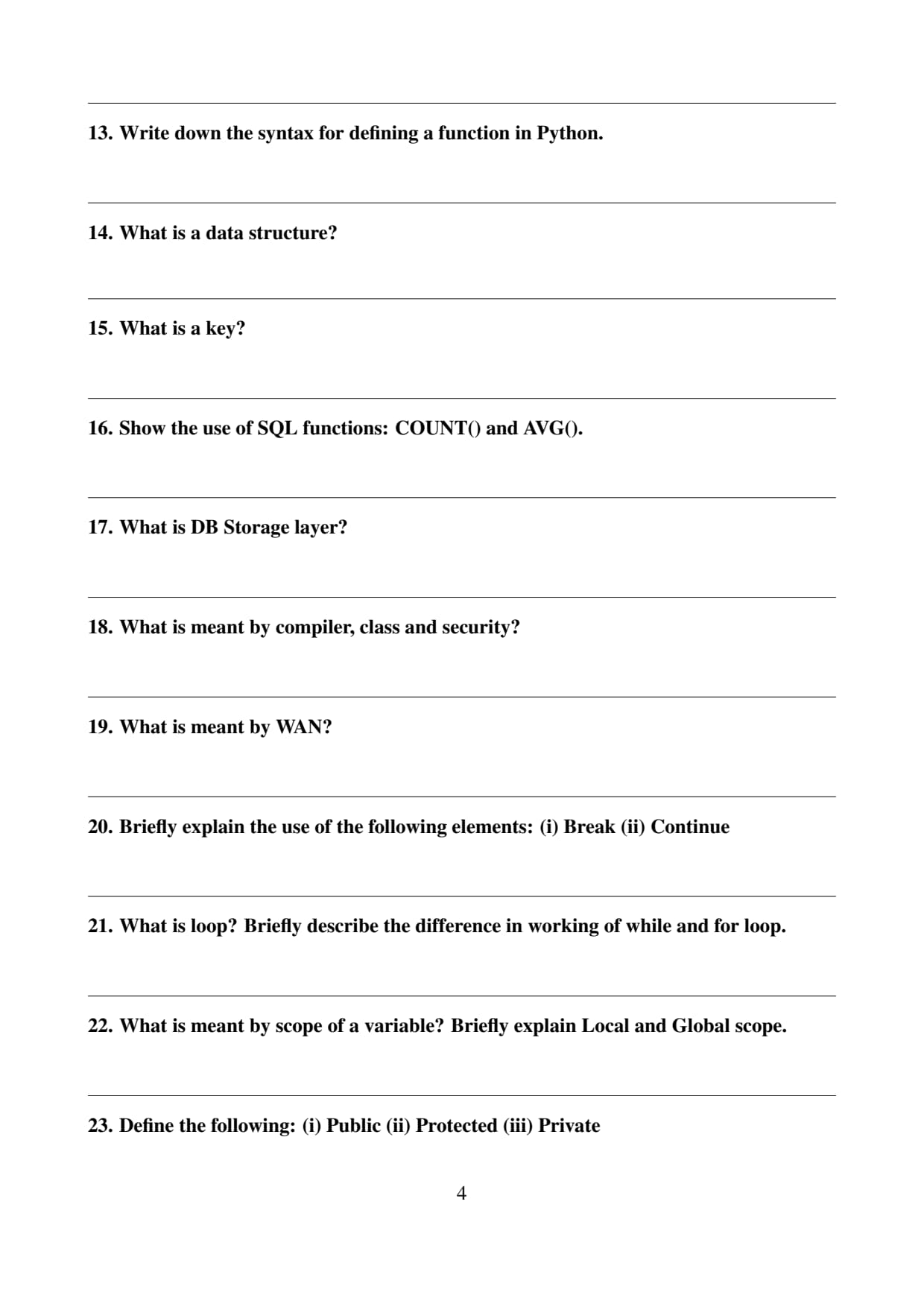
Write down the syntax for defining a function in Python.
View Solution
Step 1: Understand function definition in Python.
In Python, functions are defined using the keyword \texttt{def.
This keyword tells the interpreter that a function is being declared.
Step 2: Structure of function definition.
The basic syntax for defining a function includes:
• The keyword \texttt{def
• The function name
• Parentheses containing parameters
• A colon at the end
• An indented block of statements
Step 3: Example.
\[ \texttt{def greet():} \]
\[ \texttt{\ \ print("Hello")} \]
When this function is called, it prints the message Hello.
Step 4: Conclusion.
Therefore the syntax for defining a function in Python begins with the keyword \texttt{def followed by the function name and parameters.
Quick Tip: Always remember: Python functions require a colon (:) and indentation to define the block of code.
What is a data structure?
View Solution
Step 1: Understand the concept of data in computing.
In computer science, data refers to raw facts and information that are processed by programs. Efficient handling of data requires proper organization.
Step 2: Define data structure.
A data structure is a specialized way of organizing and storing data in a computer so that it can be used effectively.
Examples of common data structures include arrays, lists, stacks, queues, trees, and graphs.
Step 3: Importance of data structures.
Data structures help improve efficiency in searching, sorting, storing, and retrieving information. They also make algorithms faster and more effective.
Step 4: Conclusion.
Thus a data structure is an organized way of storing and managing data in a computer system.
Quick Tip: Choosing the correct data structure improves the efficiency and performance of a program.
What is a key?
View Solution
Step 1: Understand the concept of key-value pairs.
In many data structures such as dictionaries or databases, information is stored as pairs of keys and values.
The key acts as an identifier while the value represents the associated data.
Step 2: Example in Python dictionary.
\[ \{ "name":"John",\ age:20 \} \]
Here
"name" and "age" are keys, while "John" and 20 are their corresponding values.
Step 3: Importance of keys.
Keys allow quick access to stored values and help retrieve information efficiently without searching the entire dataset.
Step 4: Conclusion.
Therefore a key is a unique identifier used to access associated values in data structures or databases.
Quick Tip: In Python dictionaries, keys must be unique while values may be duplicated.
Show the use of SQL functions: COUNT() and AVG().
View Solution
Step 1: Understand SQL functions.
SQL provides built-in functions to perform calculations on data stored in database tables. These functions simplify data analysis and retrieval.
Two commonly used SQL functions are COUNT() and AVG().
Step 2: Use of COUNT() function.
The COUNT() function is used to count the total number of rows or records in a table.
Example
\[ \texttt{SELECT COUNT(*) FROM students;} \]
This query returns the total number of records in the students table.
Step 3: Use of AVG() function.
The AVG() function calculates the average value of a numeric column.
Example
\[ \texttt{SELECT AVG(marks) FROM students;} \]
This query calculates the average marks of all students in the table.
Step 4: Conclusion.
Thus COUNT() is used for counting records and AVG() is used for calculating the average value of a column.
Quick Tip: SQL aggregate functions such as COUNT(), SUM(), AVG(), MIN(), and MAX() are used to perform calculations on multiple rows of data.
What is DB Storage layer?
View Solution
Step 1: Understand the concept of database architecture.
A database management system (DBMS) is designed with multiple layers to manage data efficiently. One of the important layers in this architecture is the storage layer.
Step 2: Define the DB storage layer.
The DB Storage Layer is the component of the database system that is responsible for storing, retrieving, and managing the actual data on physical storage devices such as hard disks or solid-state drives.
This layer ensures that the data is stored in an organized and structured format so that it can be accessed efficiently when required.
Step 3: Functions of the storage layer.
The storage layer performs several important tasks such as:
• Managing physical data files
• Handling data blocks and pages
• Maintaining indexes for faster data retrieval
• Ensuring data durability and consistency
Step 4: Conclusion.
Thus the DB Storage Layer is the part of the database system responsible for managing the physical storage and retrieval of data.
Quick Tip: The storage layer in a DBMS deals with physical data storage, while higher layers handle query processing and user interaction.
What is meant by compiler, class and security?
View Solution
Step 1: Define compiler.
A compiler is a program that translates a high-level programming language into machine language so that the computer can execute the program.
The compiler checks the program for syntax errors and converts the entire code into executable machine code before execution.
Step 2: Define class.
A class is a blueprint or template used in object-oriented programming to create objects.
It defines properties (variables) and behaviors (methods or functions) that objects of that class will have.
For example, a class named Student may contain attributes such as name, roll number, and marks.
Step 3: Define security.
Security refers to the protection of computer systems, data, and networks from unauthorized access, cyber threats, and malicious attacks.
Security mechanisms ensure confidentiality, integrity, and availability of data.
Step 4: Conclusion.
Thus a compiler translates programs, a class defines object structure in programming, and security protects computer systems and information.
Quick Tip: Compiler converts code into machine language, classes are used in object-oriented programming, and security protects systems from cyber threats.
What is meant by WAN?
View Solution
Step 1: Understand the concept of computer networks.
A computer network is a system that connects multiple computers and devices so they can communicate and share resources.
Networks are classified based on their geographical coverage such as LAN, MAN, and WAN.
Step 2: Define WAN.
WAN stands for Wide Area Network. It is a network that covers a large geographical area such as cities, countries, or even continents.
Step 3: Characteristics of WAN.
Some important characteristics of WAN include:
• Connects computers over long distances
• Uses communication links such as satellite, fiber optics, or telephone lines
• Enables communication between different networks
Step 4: Example of WAN.
The Internet is the best example of a Wide Area Network because it connects millions of computers around the world.
Step 5: Conclusion.
Thus WAN is a large network that connects computers over a wide geographical area.
Quick Tip: LAN covers a small area, MAN covers a city, while WAN covers large geographic regions such as countries or continents.
Briefly explain the use of the following elements: (i) Break (ii) Continue
View Solution
Step 1: Understand loop control statements.
In programming languages such as Python, loop control statements are used to alter the normal execution of loops.
Two commonly used control statements are break and continue.
Step 2: Explain Break statement.
The break statement is used to terminate a loop immediately.
When the break statement is executed inside a loop, the control exits the loop and moves to the next statement after the loop.
Example:
\[ \texttt{for i in range(5):} \]
\[ \texttt{\ \ if i==3:} \]
\[ \texttt{\ \ \ break} \]
Here the loop stops when \(i=3\).
Step 3: Explain Continue statement.
The continue statement skips the remaining part of the current iteration and moves to the next iteration of the loop.
Example:
\[ \texttt{for i in range(5):} \]
\[ \texttt{\ \ if i==3:} \]
\[ \texttt{\ \ \ continue} \]
Here the loop skips the value \(3\) and continues with the next iteration.
Step 4: Conclusion.
Thus break stops the loop completely, while continue skips only the current iteration and proceeds to the next iteration.
Quick Tip: Use break to exit a loop completely and continue to skip the current iteration and continue with the next one.
What is loop? Briefly describe the difference in working of while and for loop.
View Solution
Step 1: Define loop.
A loop is a programming structure used to execute a block of code repeatedly until a specified condition is satisfied.
Loops help reduce code repetition and automate repetitive tasks.
Step 2: Explain while loop.
A while loop executes a block of code repeatedly as long as the specified condition remains true.
Example:
\[ \texttt{while x < 5:} \]
\[ \texttt{\ \ print(x)} \]
\[ \texttt{\ \ x += 1} \]
The loop continues until the condition becomes false.
Step 3: Explain for loop.
A for loop is used when the number of iterations is known beforehand.
It iterates over a sequence such as a list, range, or string.
Example:
\[ \texttt{for i in range(5):} \]
\[ \texttt{\ \ print(i)} \]
Step 4: Difference between while and for loop.
• While loop runs based on a condition.
• For loop runs for a fixed sequence or number of iterations.
• While loop is suitable when the number of iterations is unknown.
• For loop is suitable when the number of iterations is known.
Step 5: Conclusion.
Thus loops help automate repetitive tasks, and while and for loops differ in the way their iterations are controlled.
Quick Tip: Use a for loop when the number of iterations is known, and use a while loop when the loop depends on a condition.
What is meant by scope of a variable? Briefly explain Local and Global scope.
View Solution
Step 1: Define variable scope.
The scope of a variable refers to the region of a program where the variable can be accessed or used.
Scope determines the visibility and lifetime of variables in a program.
Step 2: Explain Local scope.
A local variable is declared inside a function and can be accessed only within that function.
Once the function finishes execution, the local variable is destroyed.
Example:
\[ \texttt{def show():} \]
\[ \texttt{\ \ x = 5} \]
\[ \texttt{\ \ print(x)} \]
Here \(x\) is a local variable.
Step 3: Explain Global scope.
A global variable is declared outside all functions and can be accessed throughout the program.
Example:
\[ \texttt{x = 10} \]
\[ \texttt{def show():} \]
\[ \texttt{\ \ print(x)} \]
Here \(x\) is a global variable.
Step 4: Conclusion.
Thus the scope of a variable determines where it can be used, and variables may have local or global scope.
Quick Tip: Local variables exist inside functions, while global variables are accessible throughout the program.
Define the following: (i) Public (ii) Protected (iii) Private
View Solution
Step 1: Understand access specifiers.
Access specifiers are used in object-oriented programming to control the accessibility of variables and methods within a class.
Step 2: Define Public.
Public members can be accessed from anywhere in the program. They have no access restrictions.
Step 3: Define Protected.
Protected members can be accessed within the class and its subclasses. They are usually indicated with a single underscore prefix in Python.
Step 4: Define Private.
Private members can be accessed only within the class where they are defined.
They are generally represented using a double underscore prefix.
Step 5: Conclusion.
Thus public members are accessible everywhere, protected members within class hierarchy, and private members only within the class.
Quick Tip: Access modifiers control data access in object-oriented programming and help implement encapsulation.
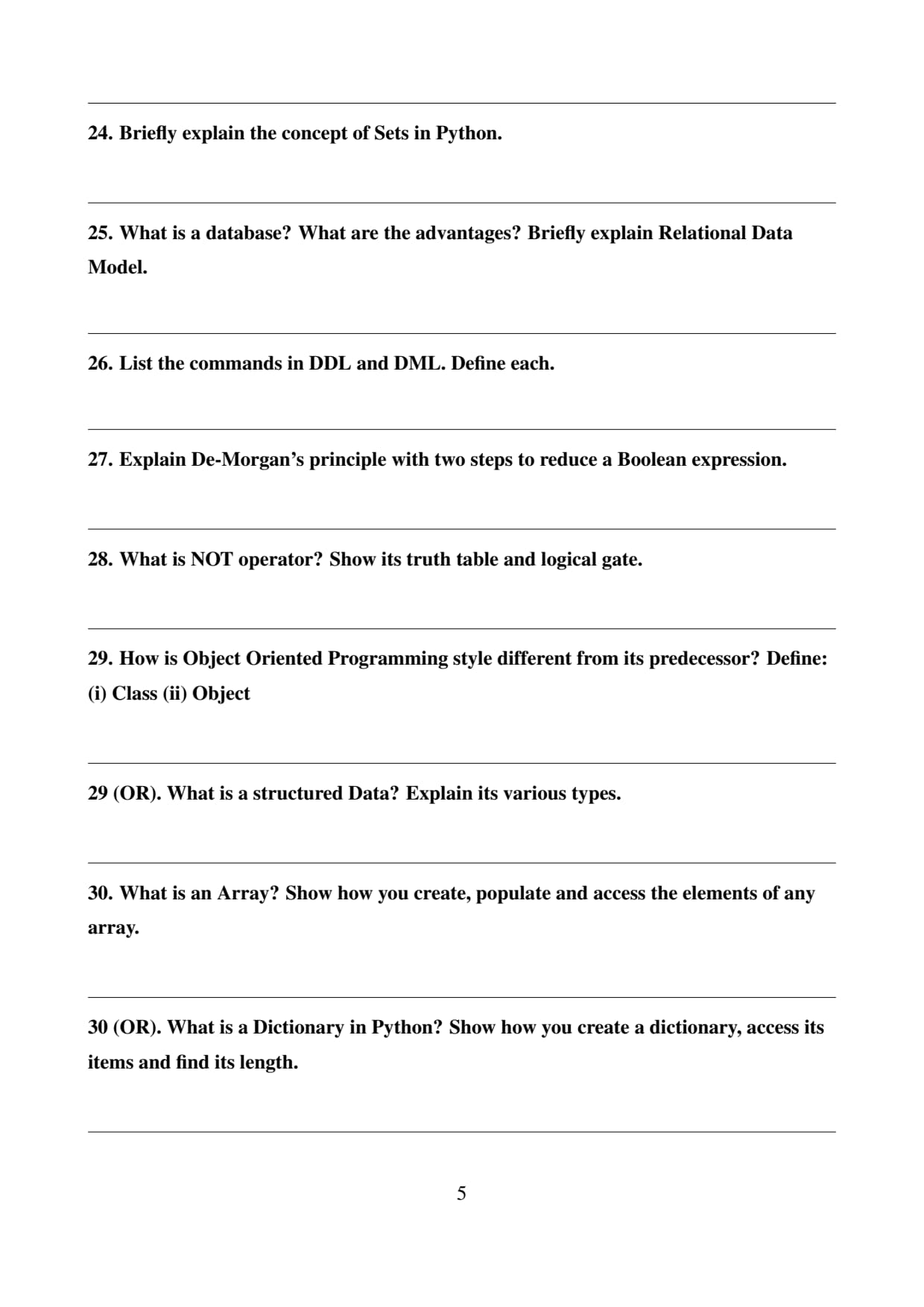
Briefly explain the concept of Sets in Python.
View Solution
Step 1: Define sets in Python.
A set in Python is an unordered collection of unique elements.
Sets are used to store multiple items without duplicates.
Step 2: Characteristics of sets.
Important properties of Python sets include:
• Elements are unique.
• Elements are unordered.
• Sets are mutable, meaning elements can be added or removed.
Step 3: Example of a set.
\[ \texttt{numbers = \{1,2,3,4\}} \]
If duplicate values are inserted, Python automatically removes duplicates.
Step 4: Use of sets.
Sets are useful for performing mathematical operations such as union, intersection, and difference.
Example:
\[ \texttt{A = \{1,2,3\}} \]
\[ \texttt{B = \{3,4,5\}} \]
\[ \texttt{A \& B = \{3\}} \]
Step 5: Conclusion.
Thus sets are powerful data structures used for storing unique elements and performing mathematical set operations.
Quick Tip: Python sets automatically remove duplicate values and support operations like union, intersection, and difference.
What is a database? What are the advantages? Briefly explain Relational Data Model.
View Solution
Step 1: Define Database.
A database is an organized collection of related data that is stored electronically and can be accessed, managed, and updated efficiently.
Databases are managed by a software system called a Database Management System (DBMS).
The main purpose of a database is to store large amounts of information in a structured form so that it can be retrieved and manipulated easily.
Example: Student records, bank accounts, employee information, etc.
Step 2: Advantages of Database.
Databases provide several important advantages in managing data:
• Data Organization: Data is stored in a structured and systematic manner.
• Data Security: Databases provide protection mechanisms to prevent unauthorized access.
• Reduced Data Redundancy: Duplicate data can be minimized through proper database design.
• Data Sharing: Multiple users can access the database simultaneously.
• Data Integrity: Databases maintain accuracy and consistency of data.
Step 3: Relational Data Model.
The Relational Data Model is a model used to organize data into tables called relations.
Each table consists of rows and columns.
• Rows represent records or tuples.
• Columns represent attributes or fields.
Example:
\[ \begin{array}{|c|c|c|} \hline Roll No & Name & Marks
\hline 1 & Rahul & 85
2 & Anita & 90
\hline \end{array} \]
Step 4: Conclusion.
Thus a database stores organized data efficiently, and the relational data model organizes this data into tables that are easy to manage and query.
Quick Tip: The relational model is the most widely used database model and forms the basis of SQL databases such as MySQL, Oracle, and PostgreSQL.
List the commands in DDL and DML. Define each.
View Solution
Step 1: Understand SQL command categories.
SQL commands are broadly classified into different categories depending on their functions.
Two important categories are:
• DDL (Data Definition Language)
• DML (Data Manipulation Language)
Step 2: DDL Commands.
DDL commands are used to define and manage the structure of database objects such as tables and schemas.
Common DDL commands include:
• CREATE: Used to create a new table or database.
Example:
\[ \texttt{CREATE TABLE Student (ID INT, Name VARCHAR(20));} \]
• ALTER: Used to modify the structure of an existing table.
• DROP: Used to delete a table or database permanently.
• TRUNCATE: Used to remove all records from a table quickly.
Step 3: DML Commands.
DML commands are used to manipulate the data stored in tables.
Common DML commands include:
• INSERT: Adds new records into a table.
• UPDATE: Modifies existing records in a table.
• DELETE: Removes records from a table.
• SELECT: Retrieves data from a table.
Step 4: Conclusion.
Thus DDL commands define database structures while DML commands manipulate the data stored in the database.
Quick Tip: DDL changes database structure, while DML is used to insert, update, delete, and retrieve data.
Explain De-Morgan’s principle with two steps to reduce a Boolean expression.
View Solution
Step 1: Understand Boolean Algebra.
Boolean algebra is used in digital logic and computer systems to simplify logical expressions.
It works with binary values such as 0 and 1 (False and True).
Step 2: De Morgan’s Laws.
De Morgan’s principles are used to simplify complex Boolean expressions.
There are two important De Morgan’s laws:
\[ (A + B)' = A' \cdot B' \]
\[ (A \cdot B)' = A' + B' \]
These laws show how negation distributes over AND and OR operations.
Step 3: First example.
Consider the expression
\[ (A + B)' \]
Using De Morgan’s law:
\[ (A + B)' = A'B' \]
Step 4: Second example.
Consider the expression
\[ (A \cdot B)' \]
Applying the law gives:
\[ (A \cdot B)' = A' + B' \]
Step 5: Conclusion.
Thus De Morgan’s laws help simplify Boolean expressions and are widely used in digital circuit design and logical computations.
Quick Tip: De Morgan’s laws convert OR operations into AND operations under negation and vice versa.
What is NOT operator? Show its truth table and logical gate.
View Solution
Step 1: Define NOT operator.
The NOT operator is a logical operator that reverses the value of a Boolean variable.
If the input value is true (1), the output becomes false (0), and if the input is false (0), the output becomes true (1).
It is also called a logical inverter.
Step 2: Truth table of NOT operator.
\[ \begin{array}{|c|c|} \hline A & NOT A
\hline 0 & 1
1 & 0
\hline \end{array} \]
Step 3: Logical gate representation.
The NOT gate has one input and one output. The output is always the complement of the input.
Symbolically it is represented as an inverter triangle followed by a small circle at the output.
Step 4: Conclusion.
Thus the NOT operator changes the Boolean value of a variable and is represented by the NOT gate in digital logic circuits.
Quick Tip: NOT gate is the simplest logic gate because it has only one input and produces the opposite output.
How is Object Oriented Programming style different from its predecessor? Define: (i) Class (ii) Object
View Solution
Step 1: Understand programming paradigms.
Earlier programming approaches mainly followed the procedural programming paradigm. In procedural programming, programs are organized around procedures or functions that operate on data.
Object Oriented Programming (OOP) is a modern programming paradigm that organizes programs around objects rather than procedures.
In OOP, both data and functions are combined together inside objects, which makes programs easier to manage and reuse.
Step 2: Difference between procedural programming and OOP.
Some major differences between Object Oriented Programming and procedural programming are:
• In procedural programming, the focus is on functions or procedures. In OOP, the focus is on objects.
• Procedural programming separates data and functions, while OOP combines them together into objects.
• OOP supports features such as encapsulation, inheritance, and polymorphism.
• OOP improves code reusability, modularity, and maintainability.
Step 3: Define Class.
A class is a blueprint or template used to create objects in object oriented programming.
It defines the properties (attributes) and behaviors (methods) that objects created from the class will have.
For example, a class named \texttt{Student may contain attributes such as name, roll number, and marks.
Example in Python:
\[ \texttt{class Student:} \]
\[ \texttt{\ \ name = ""} \]
\[ \texttt{\ \ roll = 0} \]
Step 4: Define Object.
An object is an instance of a class. It represents a real-world entity that has attributes and behaviors.
Objects use the structure defined by the class.
Example:
\[ \texttt{s1 = Student()} \]
Here \texttt{s1 is an object of the class \texttt{Student.
Step 5: Conclusion.
Thus Object Oriented Programming focuses on objects and classes, making programs more modular, reusable, and easier to maintain compared to procedural programming.
Quick Tip: Remember: A class is a blueprint, while an object is an instance created from that blueprint.
What is a structured Data? Explain its various types.
View Solution
Step 1: Define Structured Data.
Structured data refers to data that is organized in a well-defined format, usually in rows and columns, making it easy to store, search, and analyze.
This type of data follows a predefined schema and is commonly stored in relational databases.
Examples of structured data include spreadsheets, tables in databases, and records in database systems.
Step 2: Characteristics of structured data.
Structured data has the following characteristics:
• It follows a fixed format or schema.
• It is organized in rows and columns.
• It can be easily stored and queried using database management systems.
• It allows efficient data processing and analysis.
Step 3: Types of structured data.
Structured data can be classified into different types depending on how it is organized and stored.
(i) Numeric Data:
Numeric data represents numbers that can be used for mathematical calculations.
Examples include marks, salary, age, and account balance.
(ii) Character or Text Data:
Text data consists of characters and strings used to represent names, addresses, and descriptions.
Examples include student names, city names, or product descriptions.
(iii) Date and Time Data:
This type of data stores information related to dates and time values.
Examples include date of birth, transaction date, and time of login.
Step 4: Conclusion.
Thus structured data is organized data stored in a predefined format, and it commonly includes numeric data, text data, and date/time data.
Quick Tip: Structured data is easy to manage because it follows a predefined format such as rows and columns in a table.
What is an Array? Show how you create, populate and access the elements of any array.
View Solution
Step 1: Define an Array.
An array is a collection of elements of the same data type stored in contiguous memory locations. Each element in an array can be accessed using an index number.
Arrays are used to store multiple values in a single variable, which helps in efficient data handling and reduces the need to declare many separate variables.
Step 2: Creating an Array.
In Python, arrays can be created using the \texttt{array module.
Example:
\[ \texttt{from array import *} \]
\[ \texttt{arr = array('i', [10,20,30,40])} \]
Here, \texttt{'i' represents integer type elements and the values inside the list are the array elements.
Step 3: Populating an Array.
Elements can be inserted or added to an array using methods such as \texttt{append() or \texttt{insert().
Example:
\[ \texttt{arr.append(50)} \]
\[ \texttt{arr.insert(2,25)} \]
This adds new elements into the array.
Step 4: Accessing Elements of an Array.
Array elements are accessed using index numbers starting from \(0\).
Example:
\[ \texttt{print(arr[0])} \]
This prints the first element of the array.
Step 5: Conclusion.
Thus an array stores multiple values of the same type, and its elements can be created, populated, and accessed easily using indexing and array operations.
Quick Tip: Array indexing in most programming languages starts from \(0\), meaning the first element is accessed using index \(0\).
What is a Dictionary in Python? Show how you create a dictionary, access its items and find its length.
View Solution
Step 1: Define Dictionary.
A dictionary in Python is a data structure used to store data in key–value pairs. Each key is associated with a value, and keys must be unique within the dictionary.
Dictionaries are unordered collections and are written using curly braces \(\{\}\).
Step 2: Creating a Dictionary.
A dictionary can be created by assigning key–value pairs inside curly braces.
Example:
\[ \texttt{student = \{"name":"Rahul", "age":20, "marks":85\}} \]
Here \texttt{name, \texttt{age, and \texttt{marks are keys and their associated values are Rahul, 20, and 85.
Step 3: Accessing Dictionary Items.
Dictionary values can be accessed using their keys.
Example:
\[ \texttt{print(student["name"])} \]
This prints the value associated with the key \texttt{name.
Step 4: Finding the Length of a Dictionary.
The length of a dictionary can be determined using the \texttt{len() function.
Example:
\[ \texttt{len(student)} \]
This returns the total number of key–value pairs in the dictionary.
Step 5: Conclusion.
Thus dictionaries store data in key–value pairs and allow efficient data retrieval using keys.
Quick Tip: Dictionary keys must be unique, but values can be repeated.
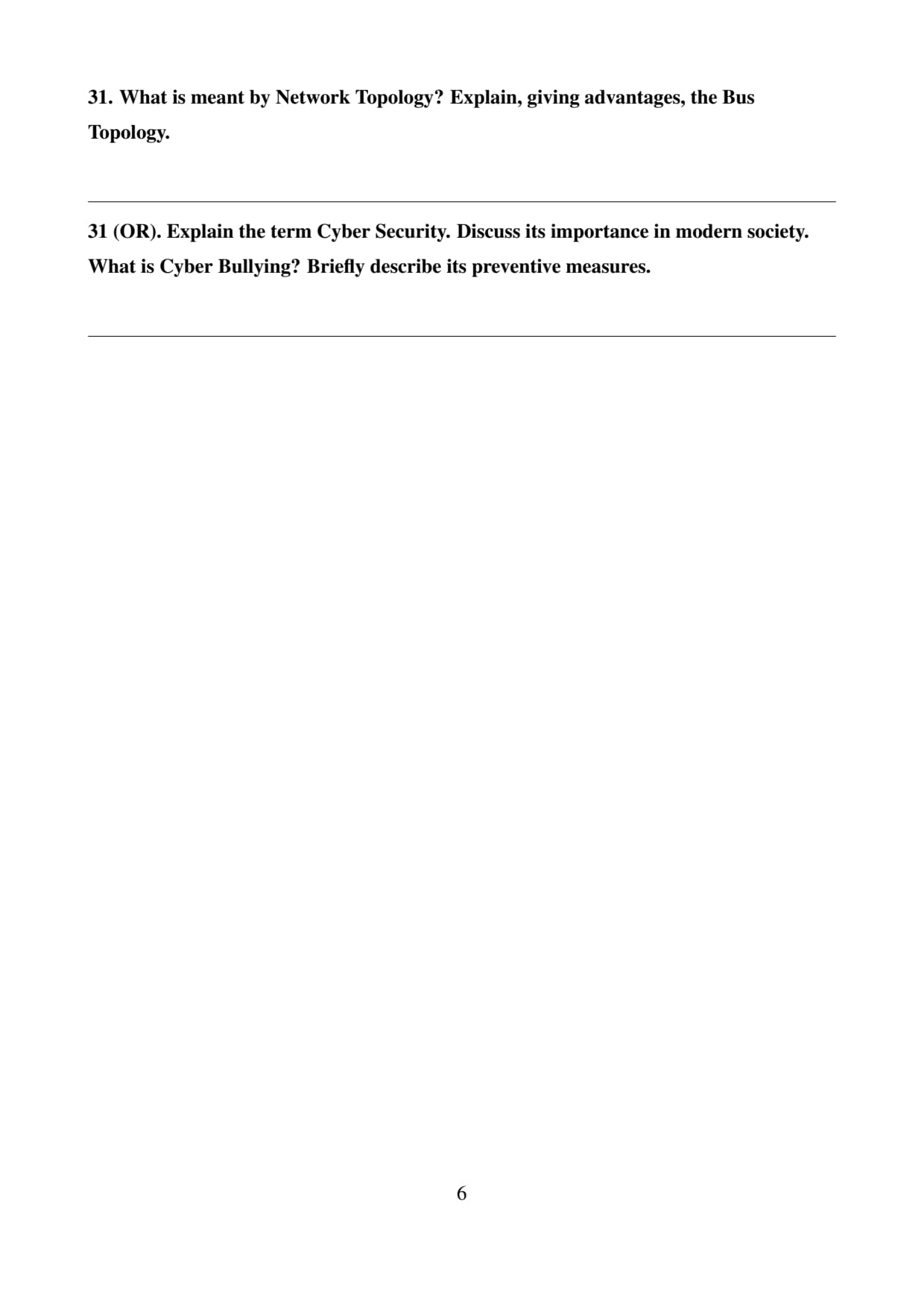
What is meant by Network Topology? Explain, giving advantages, the Bus Topology.
View Solution
Step 1: Define Network Topology.
Network topology refers to the physical or logical arrangement of computers and devices in a network. It describes how nodes such as computers, printers, and routers are connected with each other.
Different types of network topologies include Bus, Star, Ring, Mesh, and Tree topology.
Step 2: Explain Bus Topology.
Bus topology is a network structure in which all devices are connected to a single communication cable called the bus.
Data transmitted from any device travels along the bus until it reaches the destination device.
Step 3: Advantages of Bus Topology.
Some advantages of bus topology include:
• It requires less cable compared to other topologies.
• It is simple and easy to install.
• It is cost-effective for small networks.
• Adding new devices is relatively easy.
Step 4: Conclusion.
Thus network topology describes the arrangement of network devices, and bus topology connects all devices through a single main cable.
Quick Tip: Bus topology uses a single backbone cable for communication among all devices.
Explain the term Cyber Security. Discuss its importance in modern society. What is Cyber Bullying? Briefly describe its preventive measures.
View Solution
Step 1: Define Cyber Security.
Cyber security refers to the protection of computers, networks, software, and data from cyber threats such as hacking, malware, phishing, and unauthorized access.
It ensures that digital systems remain safe and secure from malicious activities.
Step 2: Importance of Cyber Security.
Cyber security plays a very important role in modern society because:
• It protects sensitive personal and financial information.
• It prevents cyber crimes such as hacking and identity theft.
• It ensures secure online communication and transactions.
• It protects organizations and government systems from cyber attacks.
Step 3: Define Cyber Bullying.
Cyber bullying refers to the act of harassing, threatening, or humiliating someone using digital platforms such as social media, emails, or messaging applications.
It can include sending abusive messages, spreading rumors online, or sharing embarrassing content.
Step 4: Preventive Measures for Cyber Bullying.
Some measures to prevent cyber bullying include:
• Avoid sharing personal information online.
• Block or report abusive users on social platforms.
• Maintain privacy settings on social media accounts.
• Inform parents, teachers, or authorities if cyber bullying occurs.
Step 5: Conclusion.
Thus cyber security protects digital systems and information, and awareness and preventive actions help reduce cyber bullying.
Quick Tip: Strong passwords, antivirus software, and safe internet practices are essential for maintaining cyber security.



Comments