



Senior Content Writer
CBSE has released the six-digit access codes for the DigiLocker account for students of classes 10th and 12th to access their mark sheets, migration certificates, and passing certificates.

New Delhi: The Central Board of Secondary Education (CBSE) has released the six-digit code for 10th and 12th students to access their DigiLocker accounts. As per the schedule, the CBSE Board Result 2024 for class 10th and 12th will be declared after May 20, 2024 at results.cbse.nic.
After the successful activation, students can use this six-digit code to access their academic certificates digitally under the Issued Documents section on the DigiLocker website. CBSE has released the new access code in collaboration with the National eGovernance Division (NeGD) to ensure the privacy and security of student’s data.
The results of the CBSE 10th and CBSE 12th Board Exam 2024 will be declared shortly. The student-wise Access Code file is being made available to Schools in their DigiLocker accounts, from which schools can download and disseminate the Access Code to individual students.
Informing about the process, CBSE officials shared, “The student-wise Access Code file is being made available to Schools in their DigiLocker accounts from where schools can download and disseminate Access Code to individual students".
How Schools can Download CBSE Class 10th and 12th Access Codes?
Schools can follow the steps below to download the Access Code file for their students:
Step 1: The school must go to the link at cbse.digitallocker.gov.in and log in using the LOC credentials and select 'Login as School' from the dropdown.
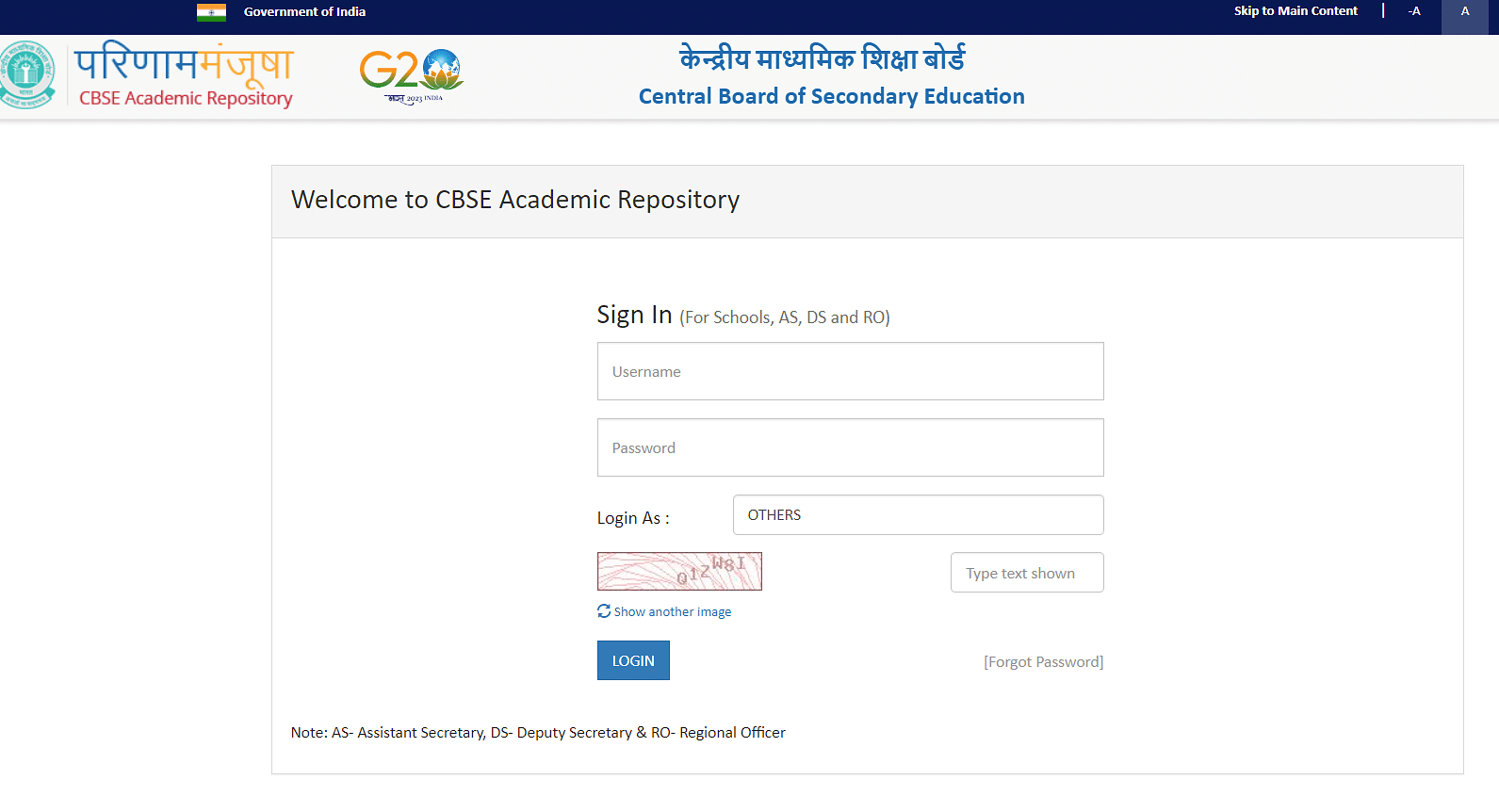
Step 2: Click on the 'Download Access Code file' option on the left panel of the screen. A new screen will appear from where schools can download the PIN.
Step 3: After downloading the file, the school can share the Access Code individually with the respective students in a secure manner. Schools must download the User Manual from the website and share it with the students.
How to Access Documents through DigiLocker?
Students can follow the below-mentioned steps to access the class 10th and 12th mark sheets after the declaration of CBSE Board Exam Results 2024:
Step 1: Students can visit the URL cbseservices.digilocker.gov.in/activatecbse.
Step 2: Click on Get Started with Account Confirmation.

Step 3: Select the class, enter the school code, roll number, and access code shared by the school, and click on Next.
Step 4: Enter a 10-digit mobile number, and date of birth and click on Submit.
Step 5: Enter the OTP sent to the registered mobile number.
Step 6: After activation, click on “Go to DigiLocker account”. Download the certificates.
Frequently Asked Questions
Ques. What is the date for CBSE Board Result 2024?
Ans. CBSE Board Result 2024 will be released after May 20, 2024.
Ques. How to get the six-digit access code for the DigiLocker account?
Ans. Students of classes 10th and 12th will get their DigiLocker account access codes from their respective schools.
Latest CBSE Updates:
Subscribe to Collegedunia to get the latest educational news and updates –




.jpeg?h=127&w=254&mode=stretch)
.jpeg?h=127&w=254&mode=stretch)
.jpeg?h=127&w=254&mode=stretch)


%20(25).jpeg?h=40&w=40&mode=stretch)


%20(33).jpeg?h=40&w=40&mode=stretch)
%20(32).jpeg?h=40&w=40&mode=stretch)
%20(31).jpeg?h=40&w=40&mode=stretch)
%20(30).jpeg?h=40&w=40&mode=stretch)
%20(29).jpeg?h=40&w=40&mode=stretch)
%20(26).jpeg?h=40&w=40&mode=stretch)
%20(19).jpeg?h=40&w=40&mode=stretch)
%20(28).jpeg?h=40&w=40&mode=stretch)
%20(27).jpeg?h=40&w=40&mode=stretch)
%20(27).jpeg?h=40&w=40&mode=stretch)
.png?h=40&w=40&mode=stretch)
%20(24).jpeg?h=40&w=40&mode=stretch)



Comments